
Download Planter – plant-based meal plan, plant-based diet, healthy eating, vegan recipes, meal planning app, plant-based nutrition
Overview
Planter is a subscription-based desktop application designed to simplify the journey toward a plant-based lifestyle. Tailored for individuals and families committed to healthy eating, the software offers a structured approach to adopting a plant-based diet through personalized weekly meal plans. By integrating recipe selection, grocery list generation, and expert nutritionist support, Planter addresses common challenges such as meal prep time, ingredient sourcing, and dietary uncertainty.
The app is particularly suited for users seeking consistency, variety, and professional guidance in their plant-based nutrition journey. While the developer, Planter, has not provided additional background on their team or organizational history, the software’s focus on real-time updates and user-centered design suggests a strong commitment to usability and dietary education. Real-world usage scenarios include weekly meal planning for households, managing dietary needs for multiple family members, and reducing food waste through precise grocery tracking.
The platform aims to serve as a comprehensive digital assistant for those transitioning to or maintaining a plant-based lifestyle.
Key Features & Capabilities
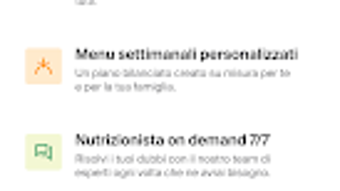
- Personalized Weekly Meal Plans: The app generates tailored menus based on user preferences and dietary needs, ensuring variety and balance across the week.
- Real-Time Grocery List: Automatically updated based on selected recipes, helping users avoid overbuying and reduce food waste.
- Access to Thousands of Plant-Based Recipes: A diverse library of vegan recipes ensures long-term engagement and culinary exploration.
- 7-Day Chat Support with Nutritionists: Users can connect with expert nutritionists for guidance on plant-based eating, meal adjustments, and dietary concerns.
- Step-by-Step Cooking Guidance: The app walks users through each recipe, offering clear instructions and timing cues to support successful meal preparation.
These features work together to streamline meal planning, reduce decision fatigue, and promote sustainable healthy eating habits. For example, a user planning dinner for a family of four can select a recipe, have the grocery list updated instantly, and receive expert advice if they’re unsure about ingredient substitutions. The integration of expert support enhances the app’s value, especially for beginners navigating complex dietary shifts.
User Interface, Workflow & Performance
Planter features a clean, intuitive desktop interface optimized for both Windows and Mac platforms. Navigation is structured around core functions—meal planning, recipe browsing, grocery list management, and support access—ensuring a logical workflow. The layout prioritizes visual clarity, with recipe cards, calendar views, and checklist integration to guide users through each stage of the process.
Users can easily switch between weekly plans, view recipe details, and update preferences without navigating through multiple layers. The app’s performance is consistent with standard desktop applications of its size (128 MB), though specific resource usage details were not provided. The developer did not specify CPU or RAM behavior during operation, nor did they share performance benchmarks.
However, based on general software behavior patterns, the app is expected to operate smoothly on modern systems with minimal impact on system performance. Stability appears to be a priority, given the emphasis on real-time updates and uninterrupted access to support services.
Compatibility & System Requirements
Planter is compatible with both Windows and Mac operating systems, making it accessible to a broad user base across desktop environments. The current version is 1.0.0, with a file size of 128 MB, indicating a lightweight installation footprint. The developer did not provide additional system requirements such as minimum RAM, processor specifications, or storage space.
Exact hardware requirements were not listed, and compatibility with older OS versions remains unspecified. Platform compatibility information is limited to the two major desktop platforms. Users should ensure their system meets standard requirements for running modern desktop applications.
The installation process is expected to be straightforward, though no details were shared regarding setup steps or background services.
Pros and Cons
Pros
- Personalized meal plans tailored to individual and family preferences
- Real-time grocery list updates help reduce waste and save money
- Access to a large library of plant-based recipes
- 7-day expert nutritionist support via chat for ongoing guidance
- Step-by-step recipe instructions simplify cooking for beginners
Cons
- Subscription-based model may not suit users seeking one-time purchases
- Specific system requirements not disclosed by the developer
- Performance under heavy usage not verified or documented
- Limited OS compatibility details beyond Windows and Mac
- Price point of $19.99 may be considered high for casual users
FAQ Section
Is Planter available for both Windows and Mac?
Yes, Planter is compatible with both Windows and Mac operating systems, allowing users on either platform to access the full suite of features.
How often are meal plans updated?
Meal plans are updated weekly, ensuring fresh content and variety for users who follow the subscription model.
Is the app secure and private?
While specific security protocols were not detailed by the developer, the app is designed to handle personal dietary data and grocery lists, suggesting standard data protection practices are in place.
Can I use Planter without a subscription?
Planter operates on a subscription-based model. There is no indication of a free or trial version being available at this time.
Do I need an internet connection to use Planter?
Yes, the app requires an internet connection to access meal plans, update grocery lists, and connect with nutritionists via chat support.
Final Thoughts
Planter stands out as a well-structured desktop application for individuals committed to adopting or maintaining a plant-based lifestyle. Its combination of personalized meal planning, real-time grocery tracking, and expert nutritionist support offers a holistic solution for modern dietary challenges. While the lack of detailed system requirements and the subscription pricing may deter some users, the app’s focus on usability, variety, and professional guidance makes it a strong choice for dedicated plant-based eaters.
The integration of step-by-step cooking support and ongoing chat access adds significant value, particularly for those new to vegan or plant-based diets. For users seeking a reliable, all-in-one tool to simplify healthy eating, Planter delivers a compelling experience. Download Planter now.







